Understand the code AI wrote for you.
Code Atlas turns your project into a private website you can actually read: a map you can zoom into, every part explained in plain English, the code running step by step, and a knowledge graph of how it all connects.
You can build anything with AI. Understanding it is the hard part.
Code you never read
Every prompt adds files. The app works, but you can't explain a single one of them.
Then it breaks
An error at 2 AM, and nothing in the code makes sense. You can't fix what you don't understand.
So you ask again
The AI patches it, the pile grows, and the gap between what you built and what you know gets wider.
One folder in your project. Five ways to read it.
Ask for a code atlas and you get code-atlas/index.html: a website about your code that opens in any browser and needs no internet.
Zoom from the whole project to one function
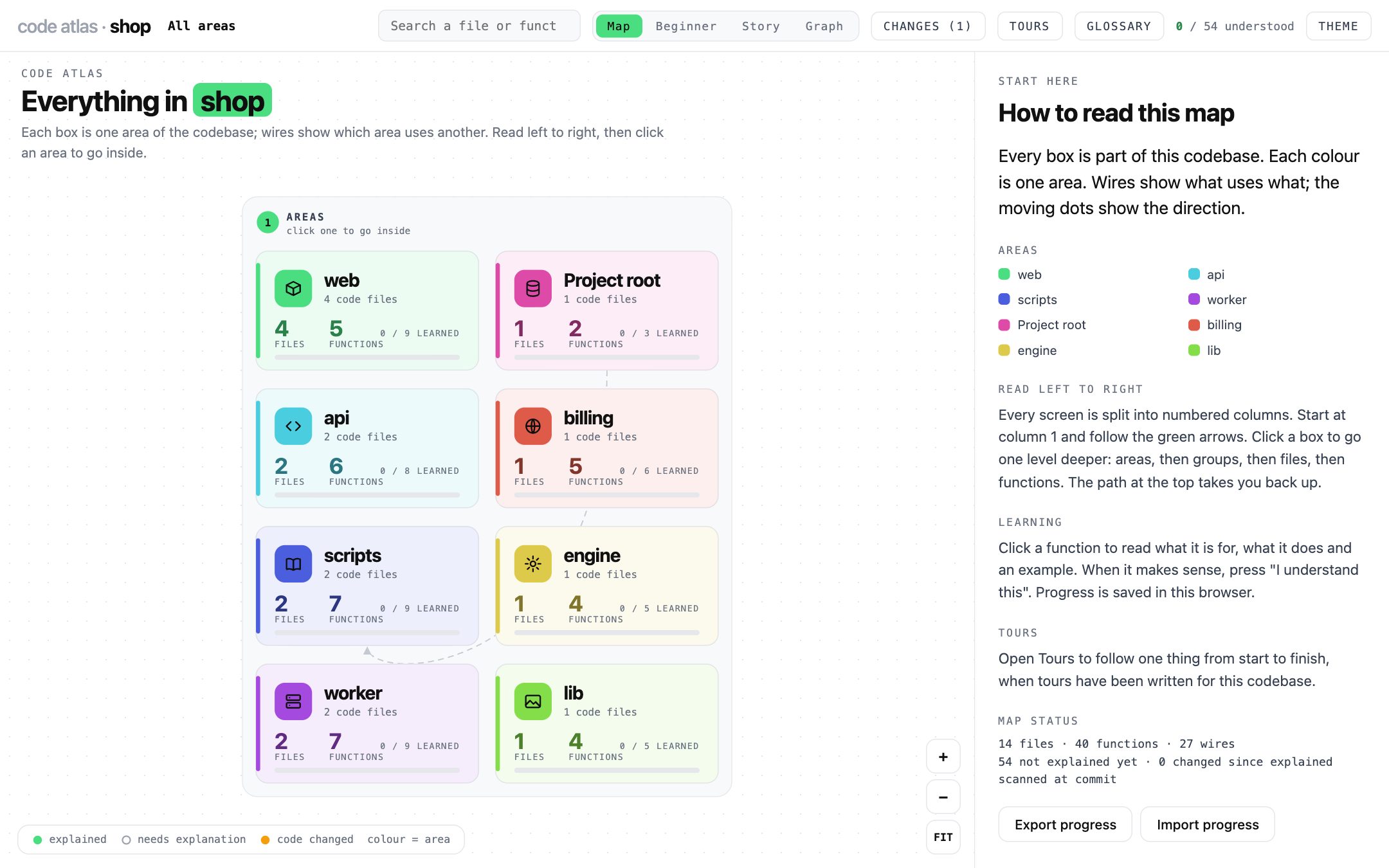
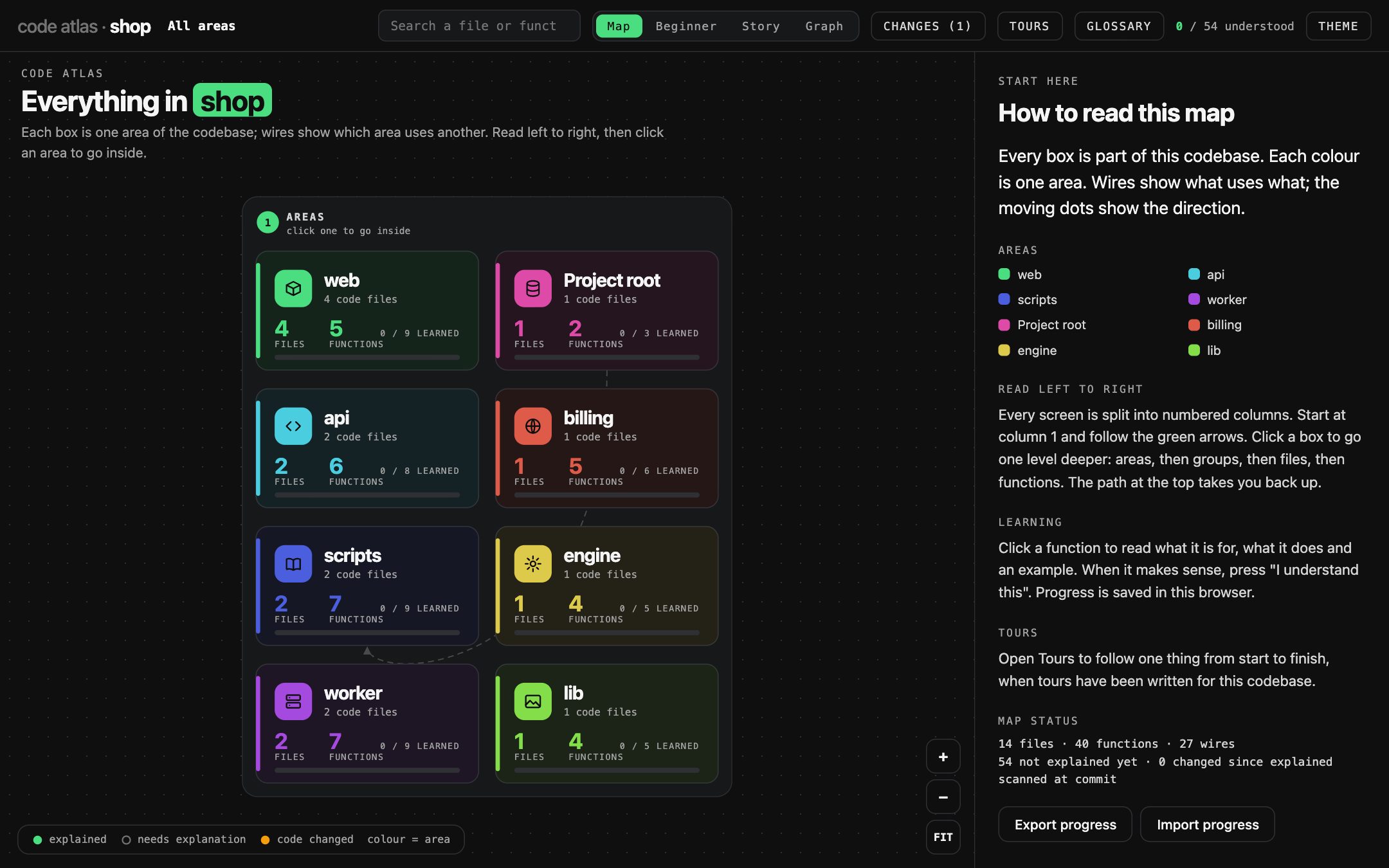
Your code is grouped into a handful of clear areas. Click to go inside: areas, then folders, files and functions. The camera glides in and out, so you never lose your place.
- Wires show who calls whom, and guesses are marked as guesses
- Search, guided tours and a glossary of coding words
- Mark parts "I understand this" and watch your progress grow
Every part explained, like a friend would
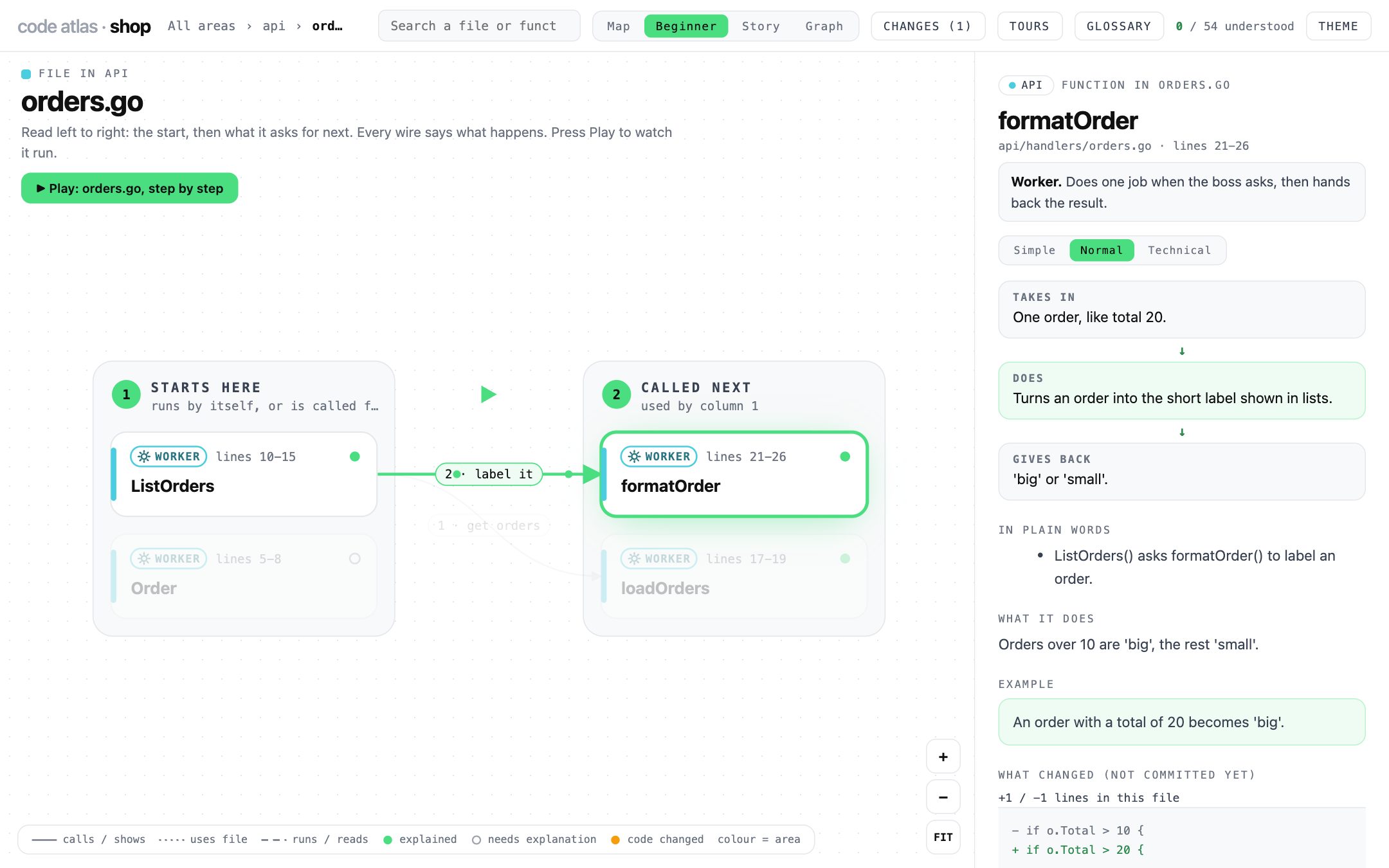
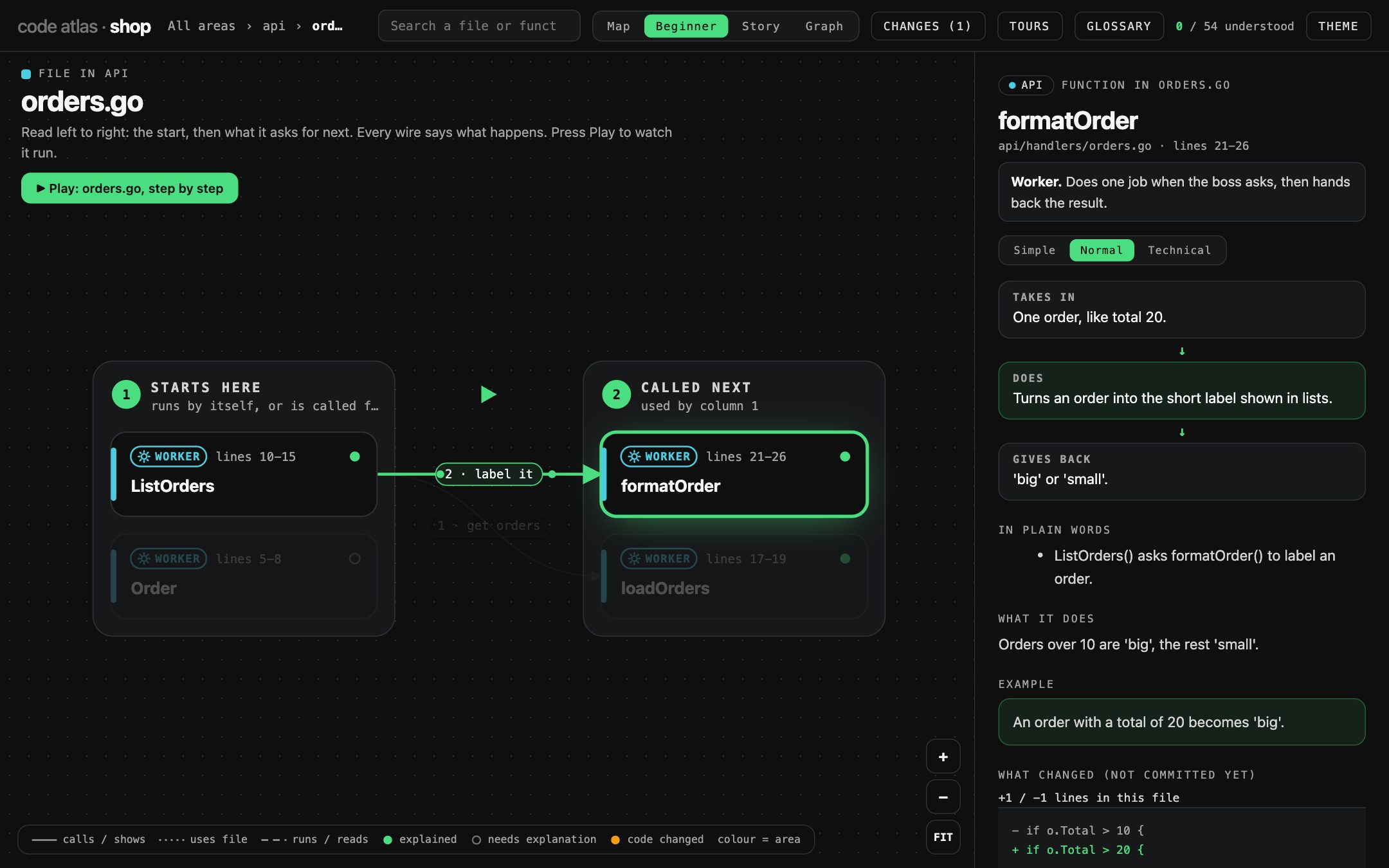
Click any box and read what it is for, in plain words: what goes in, what it does, and what comes out. Then press Play and watch the code run, step by step, in the order it really happens.
- Three levels: Simple, Normal and Technical
- Click any line of code and the map points at where it runs
- Every box gets a job: Boss, Worker, Helper, Ingredients or Decoration
Your code as a story you can follow
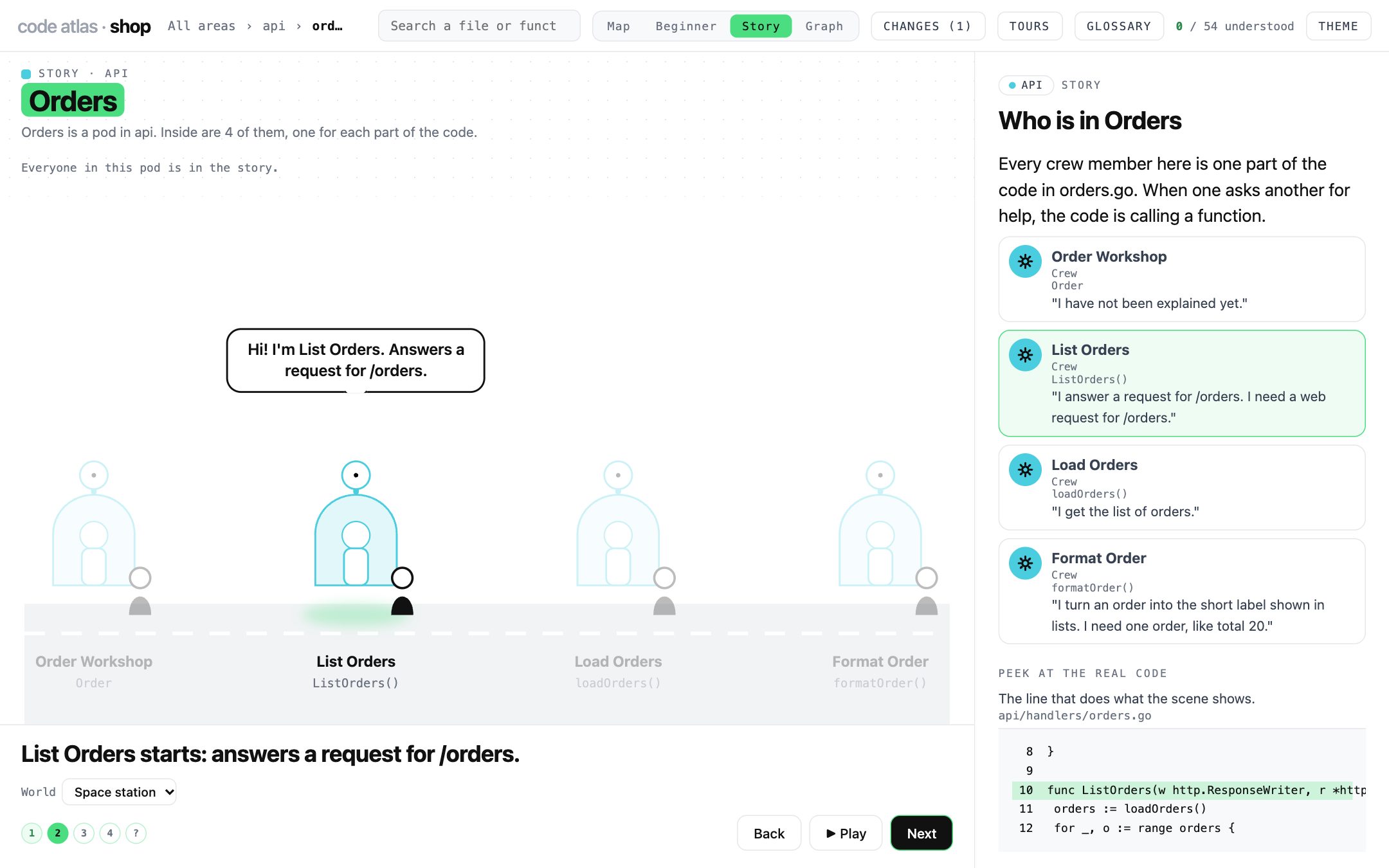
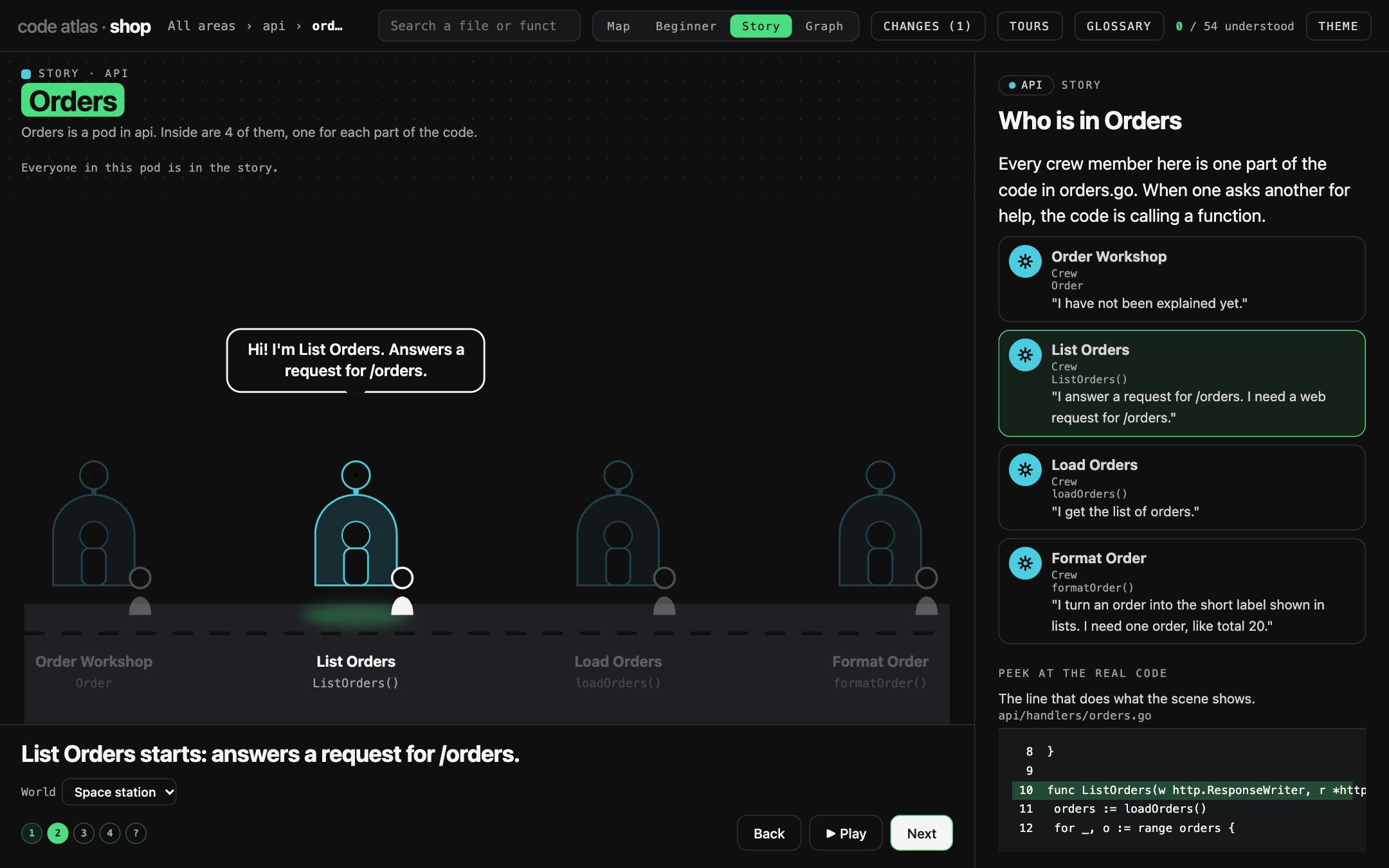
Still lost? Switch to Story. Areas become neighbourhoods, files become buildings and functions become characters. Every call is a conversation, with real data passed along in envelopes, and each building ends with a short quiz.
See exactly what the AI touched
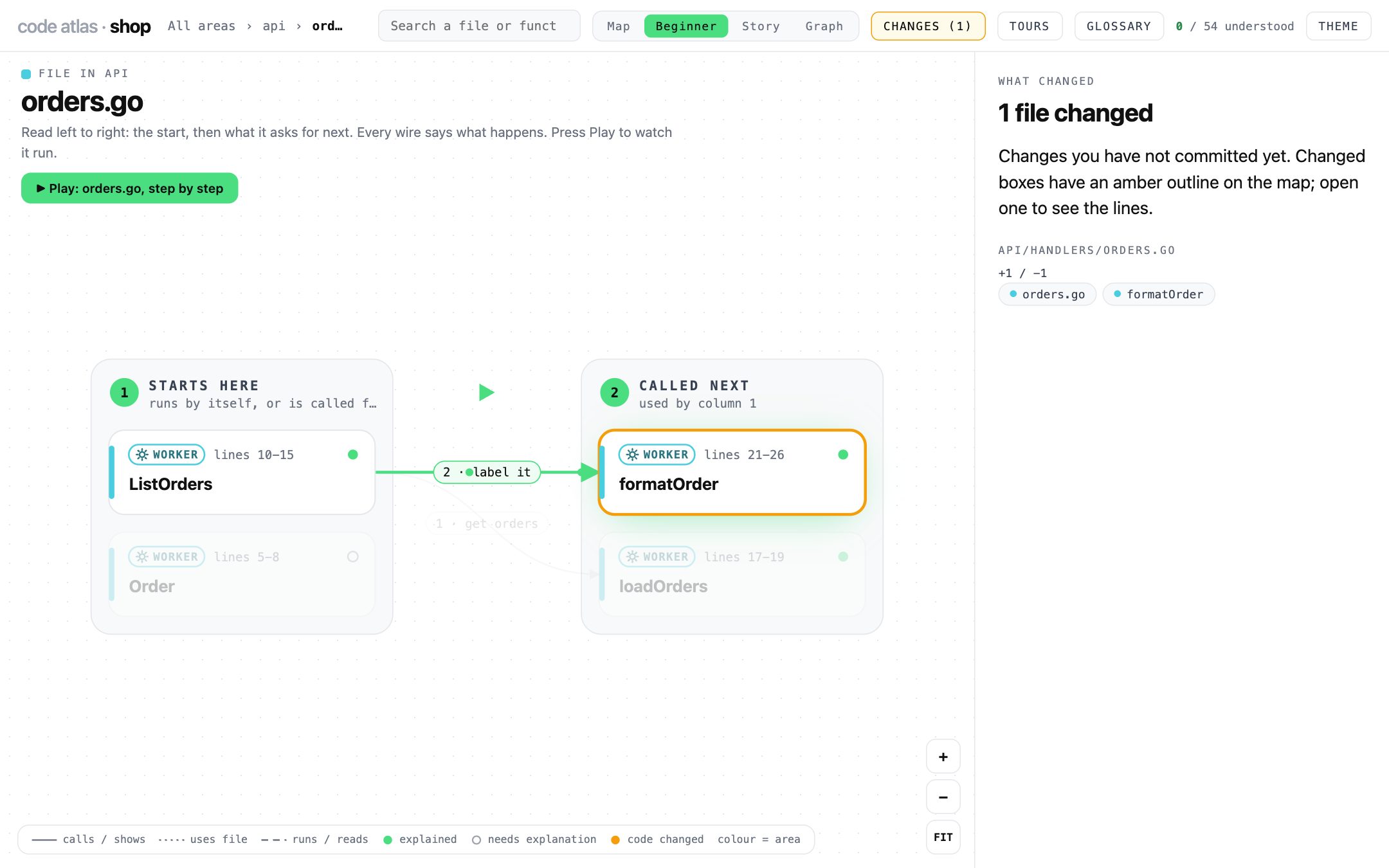
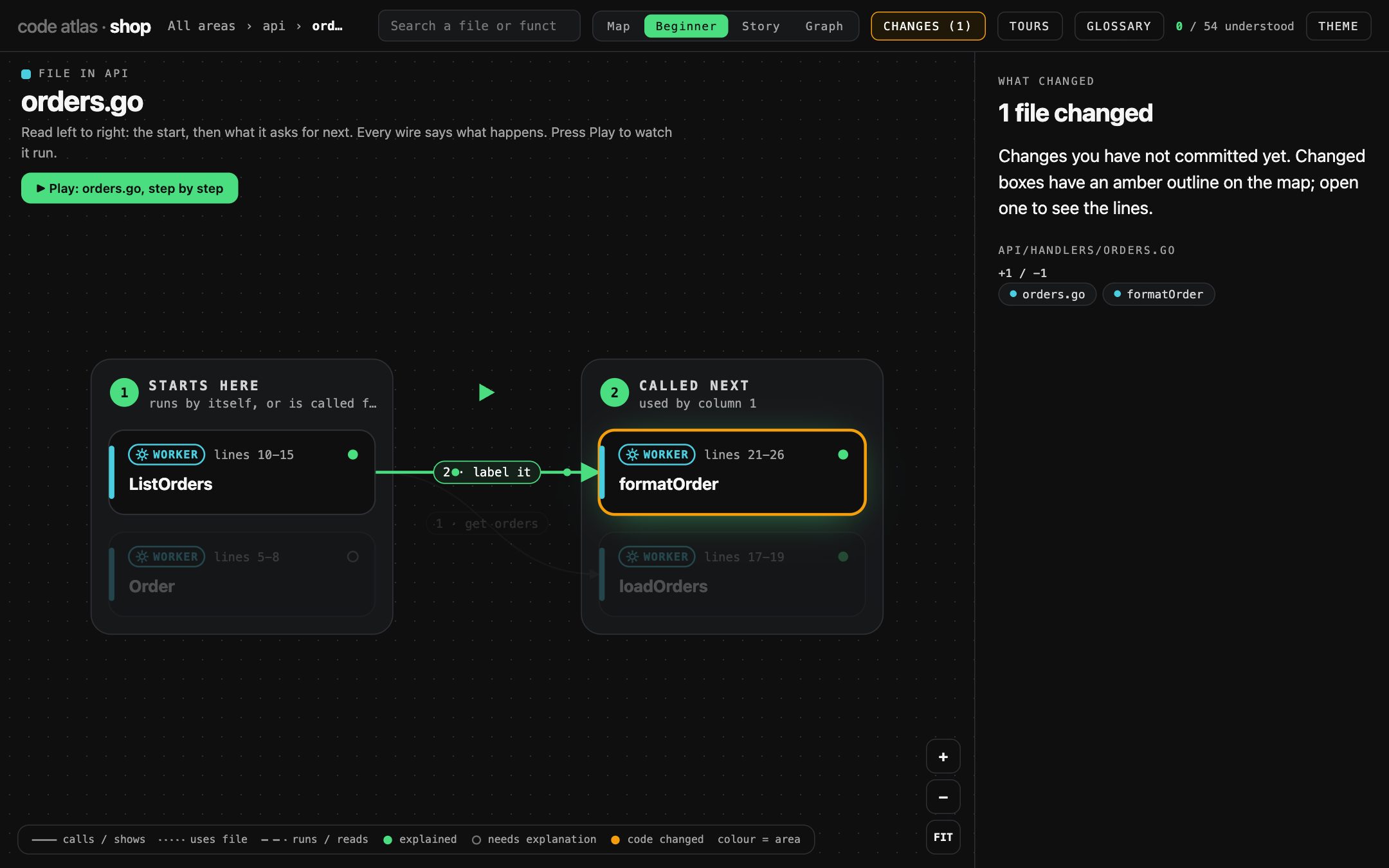
After an AI edit, press Changes. Every file and function that changed is outlined on the map, with the changed lines next to the explanation. It covers edits you have not committed yet, or the last commit.
- Only files on the map are read, so secrets stay out
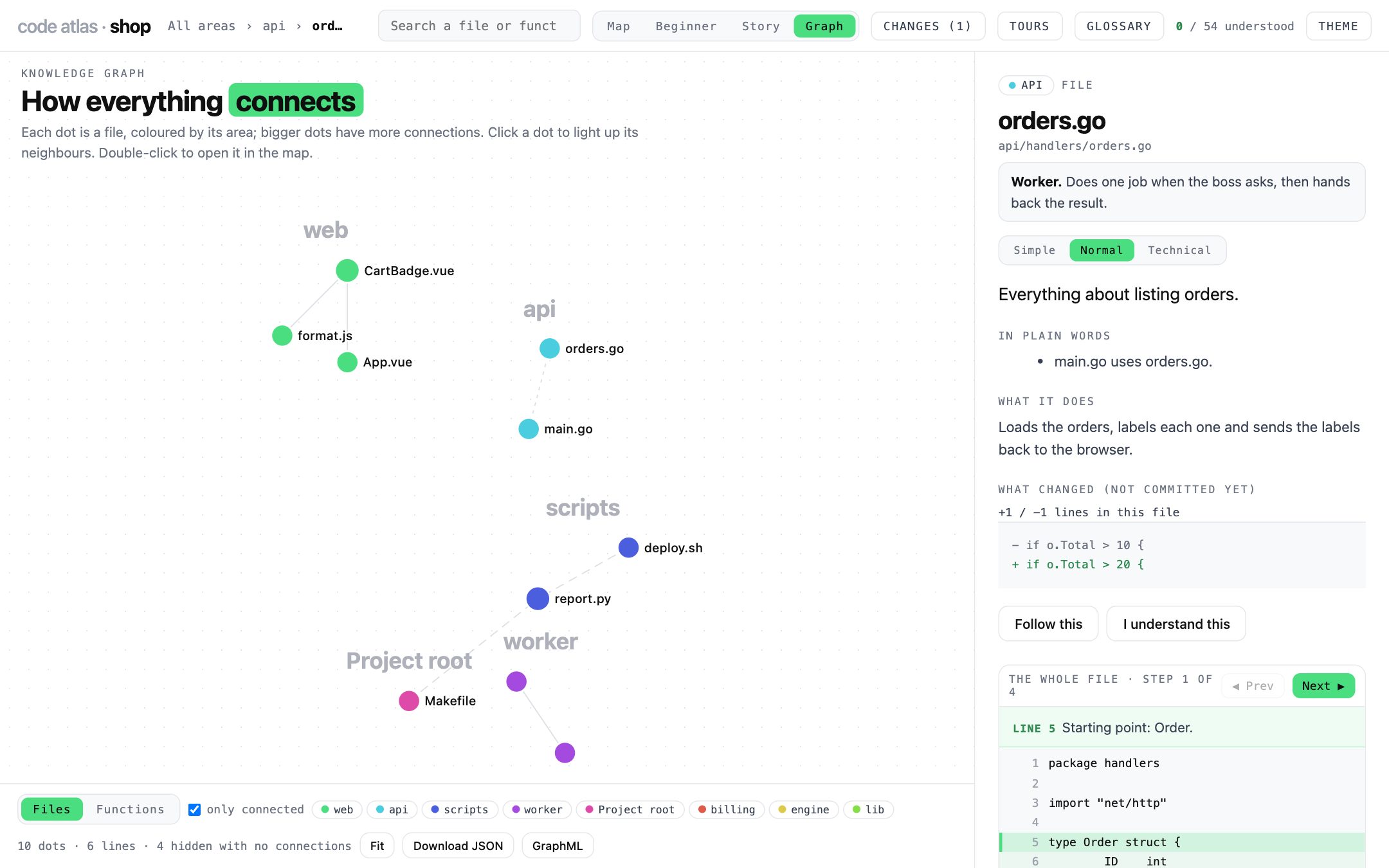
How everything connects
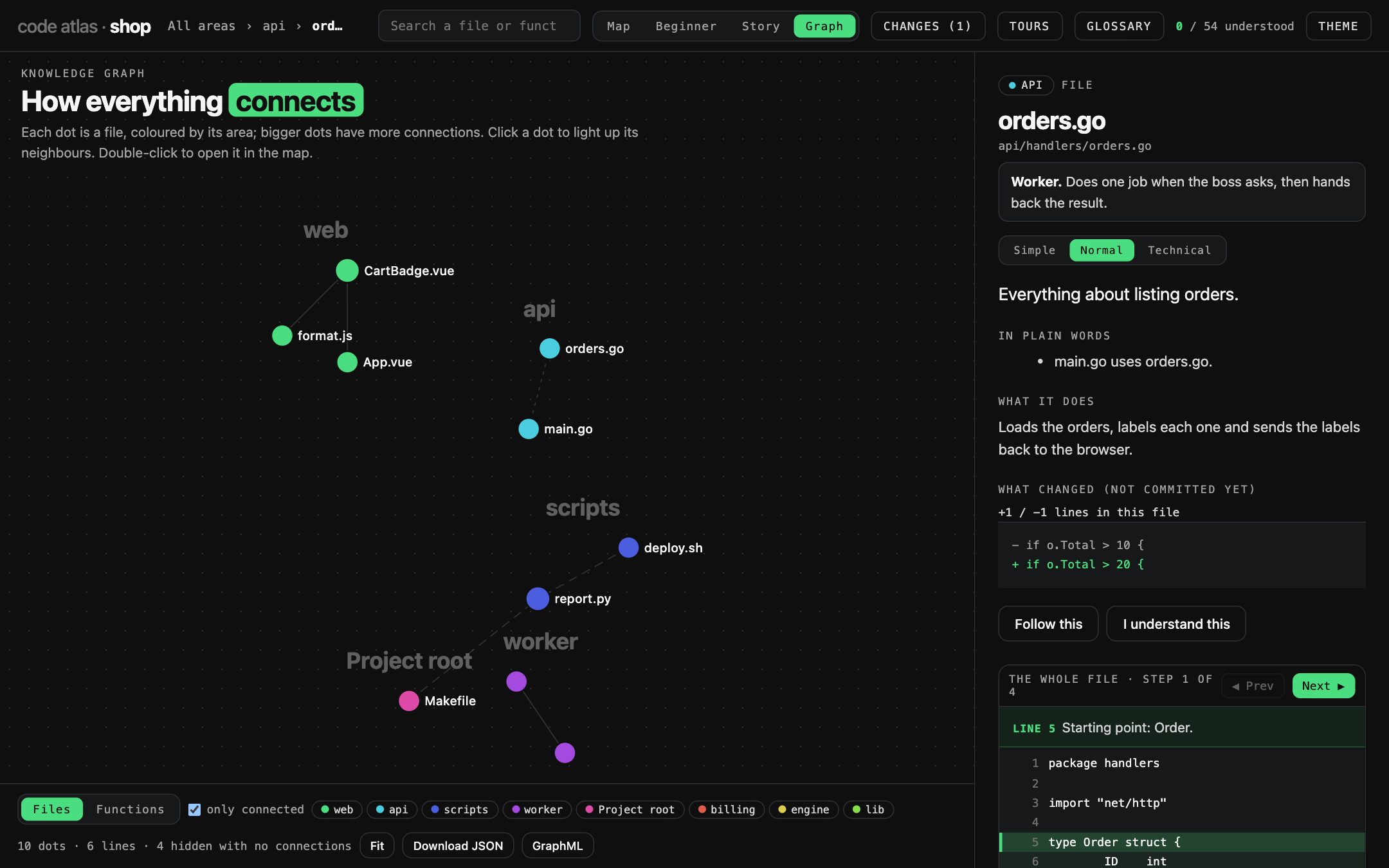
Every file or function becomes a dot, coloured by its area, and every connection is a line. Click a dot to light up its neighbours, or download the graph as JSON or GraphML for tools like Gephi, yEd or Cytoscape.
Your colours
The atlas picks up your project's own brand colours and fonts, or any palette you choose.
Phones and tablets
Every view works on a small screen, with pinch to zoom and details in a sheet under the map.
Stays up to date
Ask Claude to refresh it after changes. An optional rescan runs after every commit.
Install it in two commands.
Code Atlas is a skill for Claude Code. Install it once, and it works in every project you open.
In the terminal, the desktop app or your editor.
Check with node --version.
Lists your files and keeps the atlas out of your commits.
Chrome, Edge, Firefox or Safari.
Optional, used if present: Python 3 and the TypeScript compiler for exact reading of Python, JavaScript and TypeScript.
Option 1: install as a plugin
- Open Claude Code and type:
/plugin marketplace add Mayur-Rafaliya/code-atlas - Then install it:
/plugin install code-atlas@code-atlas - If Claude doesn't pick it up straight away, restart Claude Code.
Prefer your terminal? Run claude plugin marketplace add Mayur-Rafaliya/code-atlas, then claude plugin install code-atlas@code-atlas.
Option 2: download and copy the folder
- Download the ZIP from GitHub and unzip it, or clone it:
git clone https://github.com/Mayur-Rafaliya/code-atlas.git
- Copy the skill folder
plugins/code-atlas/skills/code-atlasto:~/.claude/skills/code-atlasfor all your projects, oryour-project/.claude/skills/code-atlasfor one project.
cp -R code-atlas/plugins/code-atlas/skills/code-atlas ~/.claude/skills/
- Start a new Claude Code session.
What happens next
Open any project in Claude Code and ask in your own words, for example "Make a code atlas of this project", "Help me understand this repo" or "I'm new to this codebase, explain it visually."
Claude looks around
It reads your README, your folders and the main entry points, so it knows what the project does. If it isn't obvious, it asks what you want to learn first.
It sets up a code-atlas/ folder
Inside your project, and kept out of git automatically, because it contains copies of your code.
It asks two questions
Which colours you want (your project's own brand colours by default, a suggested palette, or your own) and which world your story should use.
It maps and explains your code
The map is ready in seconds. Then Claude writes the explanations, overview first: every area and file, then the busiest functions. On a big project you can ask for more later, for example "explain the billing area".
It checks the page and hands it over
It tells you where your atlas is, and offers an optional rescan after every commit so it stays current.
Your atlas lives inside your project
Open code-atlas/index.html in your project folder. Double-click it, or run this from the project folder:
# macOS
open code-atlas/index.html
# Windows
start code-atlas\index.html
# Linux
xdg-open code-atlas/index.html
Bookmark it in your browser. It works offline, and your progress is saved in that browser.
your-project/
  code-atlas/
    index.html      the website (open this)
    data.js         the scanned map
    config.json     areas, names, story world
    theme.json      colours and fonts
    explain/        the explanations
    graph.json      the knowledge graph
graph.graphml the same, for graph toolsWorks with almost any language
It reads any text-based code with no setup. Tested on a demo project in 11 languages.
| How it reads | Languages |
|---|---|
| Braces | JavaScript, TypeScript, Go, Rust, Java, C#, C and C++, Kotlin, Swift, Scala, Dart, PHP, Groovy, R |
Indentation and end | Python, Ruby, Lua, Elixir |
| Components | Vue, Svelte, Astro, HTML |
| Commands | Shell scripts, Makefiles, package.json scripts |
| File boxes | Everything else, such as SQL, CSS and config files |
Your code stays yours
Nothing uploaded by Code Atlas
Its scripts make no network requests, send no analytics, and the website loads nothing from the internet.
Kept out of git
The code-atlas/ folder is added to .git/info/exclude, so it is never committed by accident.
Secrets left out
.env files, keys, certificates, dependency folders, builds and lockfiles are never put on the map.
Reads, never runs
The scanner only reads your files. It never runs the code it scans, and it skips links that point outside your project.
Questions, answered
Is Code Atlas free?
Yes. It is free and open source under the MIT license. You can use it on personal and work projects, change it, and share it.
Do I need Claude Code?
Yes. Code Atlas is a Claude Code skill: Claude reads your code and writes the plain-English explanations, and the skill's scripts build the map. Without Claude you can still run the scripts yourself and get the map, stories and graph, but no written explanations.
How do I start it after installing?
Open your project in Claude Code and ask, for example, "Make a code atlas of this project". You don't need to remember a command; Claude picks up the skill from requests like "help me understand this repo".
Where is my atlas after it's made?
In your project folder, at code-atlas/index.html. Open it in any browser. Each project gets its own atlas.
Does it upload my code anywhere?
Code Atlas itself never does: its scripts make no network requests and the page works offline. To write the explanations, Claude reads your code the same way it does in any Claude Code session, under your own Claude Code account.
Will the atlas end up in my git repository?
No. Setup adds code-atlas/ to your local .git/info/exclude file, so it is ignored without changing your .gitignore.
Can I share my atlas with my team?
You can, but remember that it contains copies of your code. Only share it with people who are allowed to see that code.
Is it safe to use on code I didn't write?
Yes. The scanner only reads files and never runs the code it scans. It skips secrets, dependency folders and links that point outside the project.
How long does it take?
The map is ready in seconds, even for big projects. The explanations take longer, because Claude reads the code before writing about it. Large projects start with an overview, and you can ask for more detail on any part later.
How accurate is it?
The explanations come from Claude reading the actual code. The connections between parts are found by reading the text of the code, which is very good for learning but not perfect: anything matched only by name is marked as a guess. Code that loads things by a name built while it runs can't be seen by any scanner; Claude can add those connections by hand.
How do I keep it up to date after my code changes?
Ask Claude to "refresh the code atlas". New functions get explained and changed ones are rewritten. Explanations survive renames when the code itself didn't change. You can also turn on an automatic rescan after every commit; it never blocks a commit.
Can I change the colours or the story world?
Yes. Pick them when Claude asks during setup, or ask later ("make the atlas blue", "use a restaurant story"). You can also switch the story world any time from the World menu in Story view.
Does it work on my phone or tablet?
Yes. Every view adapts to small screens, with pinch to zoom and the details in a sheet under the map.
Which operating systems does it support?
It is built and tested on macOS and Linux. The scripts are plain Node.js, so Windows should work too; the optional rescan-after-commit hook uses a shell script.
How do I update or uninstall it?
In your terminal, update with claude plugin update code-atlas@code-atlas and restart Claude Code. Uninstall with claude plugin uninstall code-atlas@code-atlas. You can also manage it from the /plugin menu inside Claude Code. If you copied the folder by hand, download it again to update, or delete it to uninstall. To remove an atlas, delete the code-atlas/ folder in that project, and ask Claude to remove the rescan hook if you turned it on.
Who made Code Atlas?
I'm Mayur Rafaliya. I kept building things with AI that I couldn't explain, so I built a way to understand them. Ideas, bugs and new story worlds are welcome on GitHub.
Building with AI? Learn the rest in plain English.
Short guides on learn.mayur.life, with simple visuals and no jargon.